Google Workspace Integration Module for Concord CRM
Drive, Sheets, Docs, Forms & Slides
See it in action
About Google Workspace Integration Module for Concord CRM
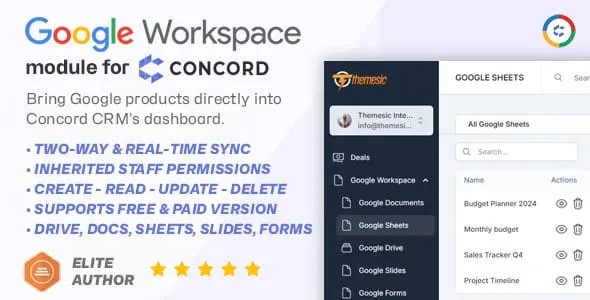
Bring the full power of Google Workspace inside your CRM. This Google Workspace module for Concord CRM lets your team access Google Drive, Sheets, Docs, Slides, and Forms straight from the dashboard - no extra logins, no jumping between tabs, and no third-party tools. It works the same whether you are on the free or a paid version of Google Workspace.
Concord CRM already excels at managing deals and relationships, and this module extends it with the document and collaboration layer that surrounds them. Browse and attach Drive files, edit Sheets, and create Documents, Slides, and Forms without ever leaving your CRM, so the work and the files that support it stay in one place.
Work smarter inside Concord CRM
The module wires Google’s productivity tools directly into the Concord dashboard, turning the CRM into a single workspace for your deals and the documents that support them.
- Google Drive files - locate, browse, and upload files with a single click, straight from the dashboard.
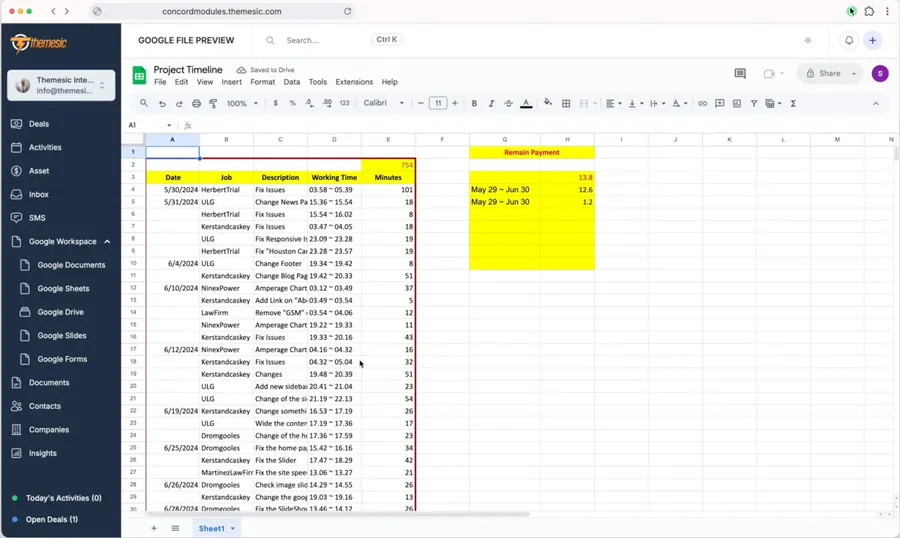
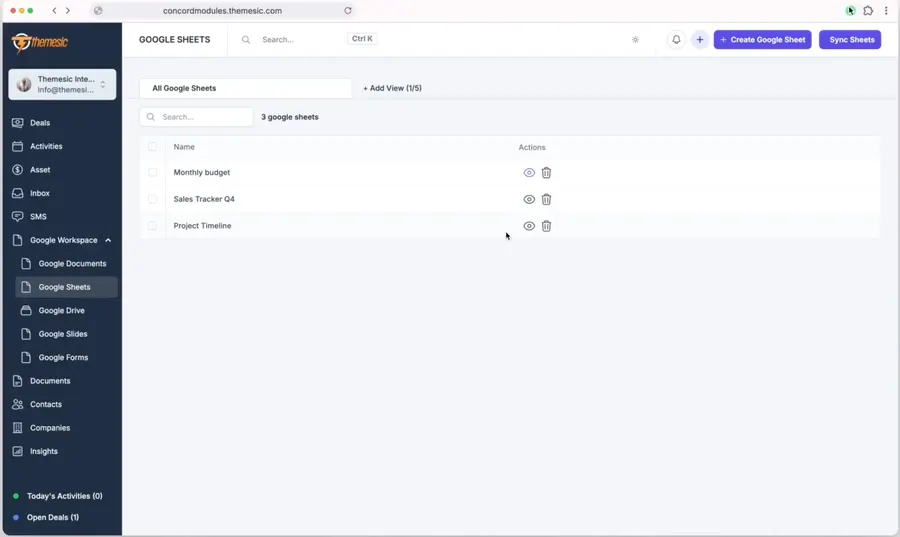
- In-app Sheets editor - create, edit, and save files that sync automatically back to your Google account.
- Import and sync - pull in data and documents created outside the CRM, then sync changes back so nothing falls out of step.
- Permissions-based access - the module inherits Google’s own file permissions, and unauthorized users get the chance to request access.
Create and edit Google files without leaving the CRM
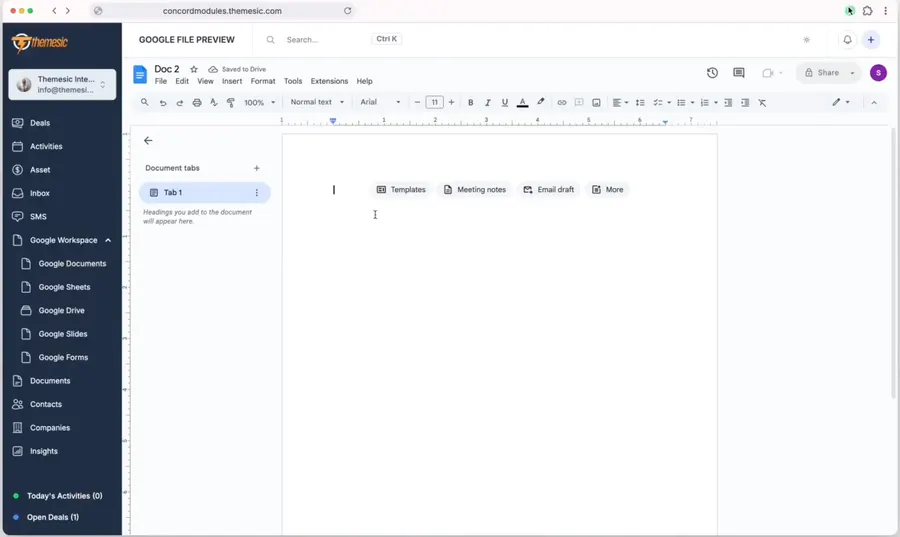
A built-in editor lets you create, open, and edit your editable Google services - Sheets, Docs, and more - directly inside Concord. Every change you make is saved and automatically synced to your Google account, so a file stays consistent whether you open it in the CRM or in Google directly.
Browse, attach, and two-way sync Google Drive
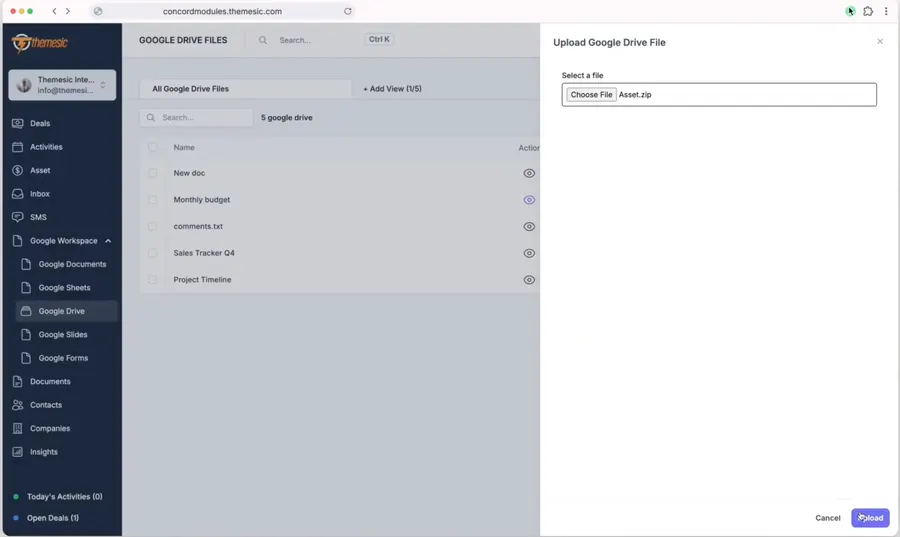
Drive lives right inside the dashboard. Find and browse your files in a single click, attach them where you need them, and upload new ones without switching applications. Because the sync runs both ways, data created outside Concord can be pulled in, and changes made inside the CRM flow back to Drive, keeping both sides in agreement.
Permission-aware by design
The module respects the access rules you already have in Google. It inherits Google’s file permissions, so people only see what they are allowed to see. When a user lacks access to a file, they are given the chance to request it, keeping sharing secure and under your control rather than working around it.
Real-world use cases
- Sales teams - attach proposal documents from Drive, draft and schedule follow-ups in Docs, and keep client paperwork beside the deal it belongs to.
- Project managers - collaborate on Sheets for budgeting, assign work against milestones, and archive project files seamlessly.
- Support agents - create Forms and Slides and share knowledge-base files with customers, all without leaving Concord.
Quick to set up
Installation takes only a few minutes to install, activate, and have the integration running smoothly. Once it is live, every editor and list view follows Concord CRM’s own interface, so Google Workspace feels like a native part of your dashboard from day one.
Support that actually answers
Buy direct and you reach the people who wrote the code - not a marketplace ticket queue.
- Priority support - replies the same day, straight from the development team that built it.
- Six months of priority support on Standard (extendable), and instant priority support on Pro for as long as the subscription is active.
- Support covers guidance on installation, configuration and upgrades - real answers, never canned macros.
- Regular updates and immediate bug fixing, included in every license type.
-
- Initial release of Google Workspace Module
- Browse & attach Drive files
- In-app editor for editable services (Google Sheets, Docs etc)
- Two-way sync
- Inherited Permissions from Google
Ready to drop Google Workspace Integration Module for Concord CRM into your stack?
Standard $39 one-time, or Pro from $7.50/mo billed yearly - updates and support while your subscription is active, and quick, secure checkout. Cheaper than the old CodeCanyon price, with no marketplace cut.
Read it before you buy it
Everything below is public. You can judge Google Workspace Integration Module for Concord CRM without spending anything, and without asking us.
-
Documentation, in the open
The full Google Workspace Integration Module for Concord CRM documentation lives on GitHub at
themesic/Google-Workspace-module-for-Concord-CRM- setup, configuration and day-to-day use, readable in a browser before you decide.
The sales and rating on this page are recorded by CodeCanyon, not by us: a review can only come from an account that bought the product, and every release passes Envato's review before buyers receive it. More on what we publish and how to check each figure yourself: open source and open specs at Themesic.
Frequently asked questions
Everything you need to know before buying - and what to do if you still have questions.
Is Google Workspace Integration Module for Concord CRM compatible with the latest version?
Yes - the current release is v1.0.0, last updated September 2026, built for PHP 8.x, PHP 7.x, MySQL 8.x, MySQL 5.x, Laravel. Lifetime updates keep it current as new platform versions ship.
What does the $39 Standard license include?
One payment of $39 covers the exact same files sold on CodeCanyon - full unencrypted source code, documentation and lifetime free updates - plus six months of developer support, at a lower price than the marketplace. It licenses a single installation you own and run.
Can I use Google Workspace Integration Module for Concord CRM in a SaaS or a client product?
That is what the Pro plan is for: $7.50/mo billed yearly. It adds instant priority support for as long as the subscription is active, installation on unlimited domains you own, and the right to use the module in SaaS and multi-tenant products.
How do I receive the product after buying?
Checkout runs through Stripe. Your license key and download are issued instantly, and every future update is available from your account the moment it ships.
Related products
Other Concord CRM Modules built and maintained by the same team, sold direct.
Featured in these guides
Comparisons from our catalogue where Google Workspace Integration Module for Concord CRM earns its pick - see how it stacks up.