Assets Management Module for Concord CRM
Manage Company and Customer Assets
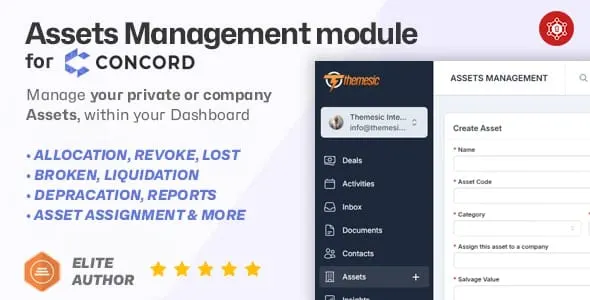
See it in action
About Assets Management Module for Concord CRM
Keep every company asset accountable - laptops, furniture, vehicles, tools, and more - without leaving Concord CRM. This asset management module for Concord CRM lets you create, categorize, assign, and track physical resources across their entire lifecycle, from purchase through depreciation, damage, or retirement, all inside the familiar interface your team already uses.
Concord CRM handles deals and contacts brilliantly; this module adds full asset tracking so you can manage physical resources without switching platforms. Maintain an always-current inventory, enforce accountability, and simplify audits by logging every asset event in one place. Assets can also be assigned directly to companies, tying physical resources back to the accounts they belong to.
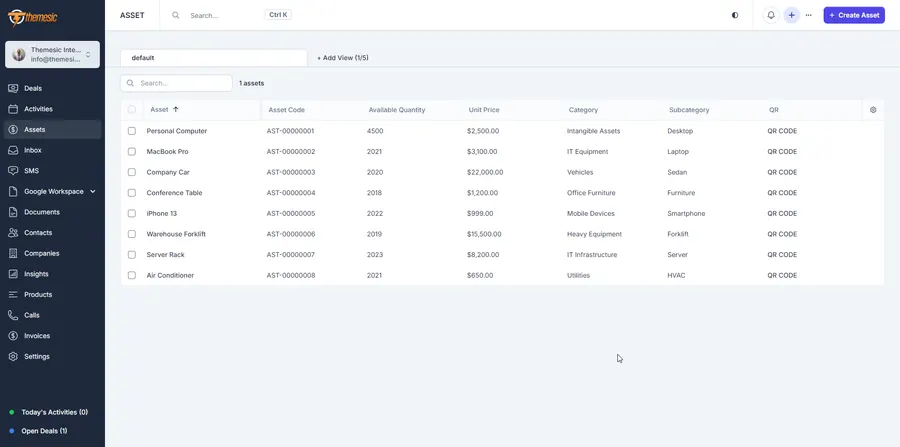
Complete asset oversight in one place
Asset tracking lives right inside Concord CRM, giving you a single, auditable record of every physical resource your organization owns or manages.
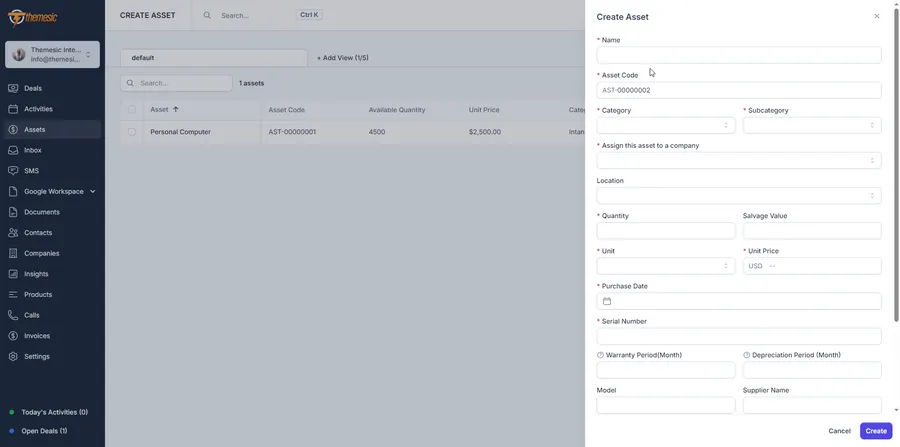
Easy asset creation and categorization
Define each asset with a name, code, model, purchase date, unit cost, and photo. Group and filter assets by category, location, or department so large inventories stay organized and searchable.
Assignment and transfer workflow
Optionally assign assets to companies, and revoke allocations with a single click. Allocations stay current as equipment moves between accounts, so your records always reflect who holds what.
Asset status and lifecycle tracking
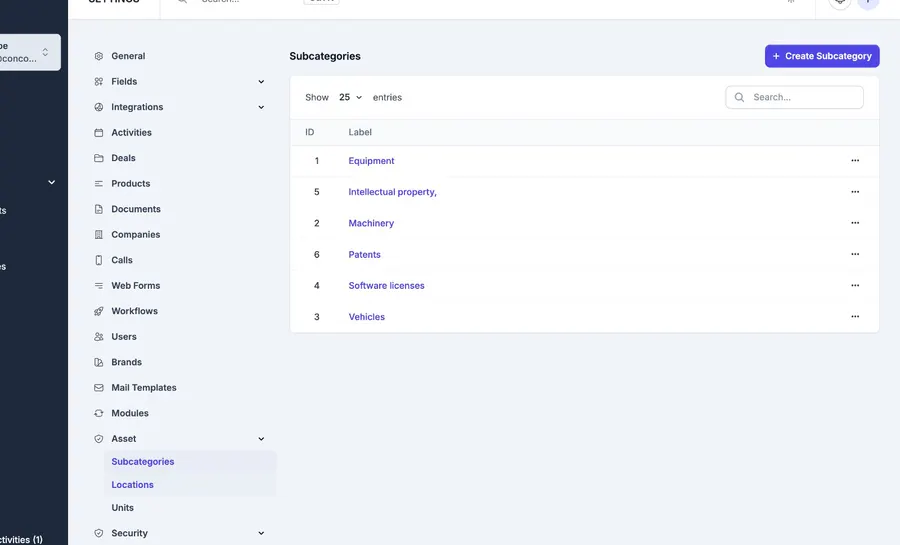
Track every asset through its full lifecycle with dedicated record types: Asset Allocation, Revocation, Additions, Lost Reports, Broken Reports, Liquidations, Warranties, and Maintenance. Record depreciation and retire assets cleanly when they reach end of life.
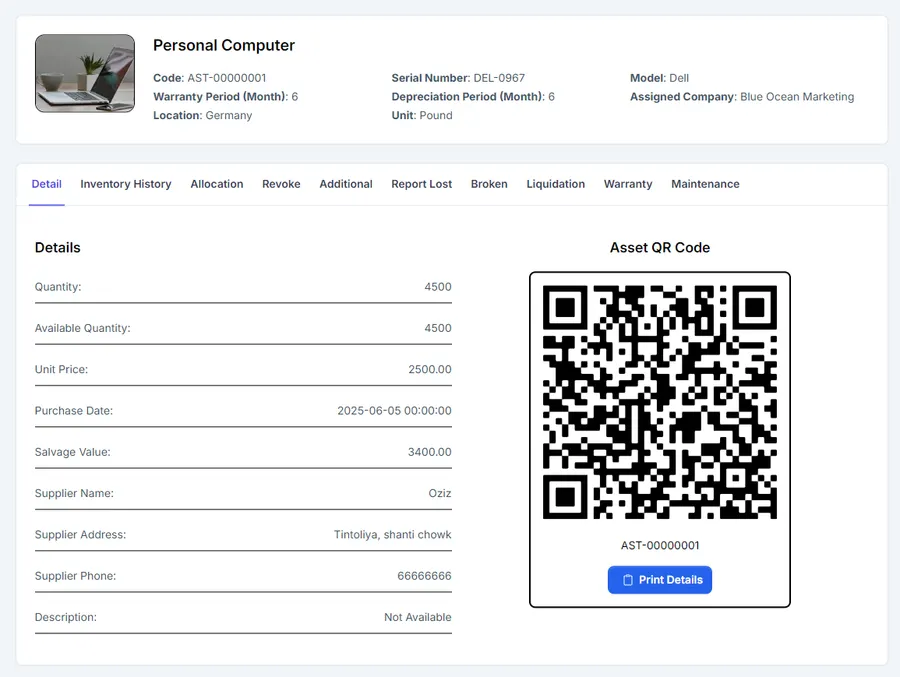
Notes, attachments, and audit logs
Add internal notes and photos to any asset. Every change is logged, giving you a clean trail for compliance and easy auditing.
Data export
Instantly export any view, including filtered ones, to Excel, CSV, or PDF, or send it straight to print for reporting.
Role-based permissions
Fine-tune access so only authorized staff can view, edit, or delete assets. Permissions integrate fully with Concord CRM’s own permission system.
Real-world use cases
- IT departments: track hardware assignments, monitor warranty expirations, and automatically reassign equipment on staff changes.
- Facilities management: manage furniture, vehicles, and building assets, logging maintenance, damage reports, and location transfers.
- Service and rental firms: record customer-owned or rented equipment per project, with a full history of service, repairs, and returns.
Quick setup
Installation takes only a few minutes to install, activate, and have asset tracking running smoothly inside Concord CRM. Because the module works within the platform’s familiar interface, managing assets feels like a native part of your CRM.
Support that actually answers
Buy direct and you reach the people who wrote the code - not a marketplace ticket queue.
- Priority support - replies the same day, straight from the development team that built it.
- Six months of priority support on Standard (extendable), and instant priority support on Pro for as long as the subscription is active.
- Support covers guidance on installation, configuration and upgrades - real answers, never canned macros.
- Regular updates and immediate bug fixing, included in every license type.
-
- Initial release of Assets Management Module
- Creating Assets, Adding, Allocating, Reporting, Liquidation, Reporting lost, Maintenance, Warranty, Revocation, Status history & Depreciation functions added
Ready to drop Assets Management Module for Concord CRM into your stack?
Standard $39 one-time, or Pro from $7.50/mo billed yearly - updates and support while your subscription is active, and quick, secure checkout. Cheaper than the old CodeCanyon price, with no marketplace cut.
Read it before you buy it
Everything below is public. You can judge Assets Management Module for Concord CRM without spending anything, and without asking us.
-
Documentation, in the open
The full Assets Management Module for Concord CRM documentation lives on GitHub at
themesic/Assets-Management-Module-for-Concord-CRM- setup, configuration and day-to-day use, readable in a browser before you decide.
The sales and rating on this page are recorded by CodeCanyon, not by us: a review can only come from an account that bought the product, and every release passes Envato's review before buyers receive it. More on what we publish and how to check each figure yourself: open source and open specs at Themesic.
Frequently asked questions
Everything you need to know before buying - and what to do if you still have questions.
Is Assets Management Module for Concord CRM compatible with the latest version?
Yes - the current release is v1.0.0, last updated September 2026, built for PHP 7.x, PHP 8.x, MySQL 5.x, MySQL 8.x. Lifetime updates keep it current as new platform versions ship.
What does the $39 Standard license include?
One payment of $39 covers the exact same files sold on CodeCanyon - full unencrypted source code, documentation and lifetime free updates - plus six months of developer support, at a lower price than the marketplace. It licenses a single installation you own and run.
Can I use Assets Management Module for Concord CRM in a SaaS or a client product?
That is what the Pro plan is for: $7.50/mo billed yearly. It adds instant priority support for as long as the subscription is active, installation on unlimited domains you own, and the right to use the module in SaaS and multi-tenant products.
How do I receive the product after buying?
Checkout runs through Stripe. Your license key and download are issued instantly, and every future update is available from your account the moment it ships.
Related products
Other Concord CRM Modules built and maintained by the same team, sold direct.
Featured in these guides
Comparisons from our catalogue where Assets Management Module for Concord CRM earns its pick - see how it stacks up.