Accounting and Bookkeeping for Concord
Ledger, Expenses, Vendor Bills, Banking & Reports
See it in action
About Accounting and Bookkeeping for Concord
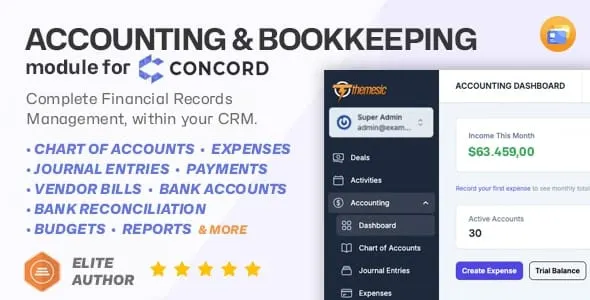
The Accounting and Bookkeeping module for Concord CRM adds a complete accounting layer to your CRM - ledger, expenses, bills, banking and reports. It covers chart of accounts, journal entries, expenses, vendor bills, payments, bank accounts, bank transaction import, bank reconciliation, budgets, multi-currency and financial reports, all inside the CRM your team already runs on. Manage day-to-day bookkeeping and get clear financial insight without ever leaving Concord CRM.
Built natively for Concord CRM, the module integrates with your existing workflows and can generate automatic journal entries for key operations when you want it to, while still giving your accountant full control through manual entries, posting and voiding, and audit-friendly records.
Why add accounting and bookkeeping to Concord CRM
Running CRM and accounting in separate tools usually creates duplicated work, missing context and inconsistent numbers. This module brings bookkeeping closer to your operations: record expenses, manage payables, reconcile bank activity and produce financial reports directly where your team already works. Your operational data and your financial data finally live in one place.
Key features
Chart of accounts (general ledger)
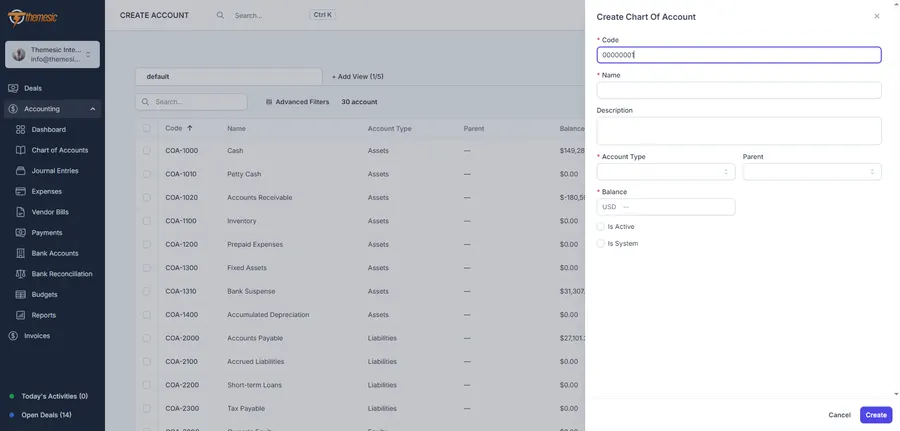
Create a structured chart of accounts with account codes, account types (assets, liabilities, equity, revenue, expenses) and hierarchical parent/child organization. It keeps a clean general-ledger foundation for accurate reporting and bookkeeping that scales with the business.
Journal entries (manual, draft / posted / void)
Record multi-line debit and credit entries, save them as drafts, post them when ready, or void them when needed. Every line supports account selection and a description, so you keep a clear audit trail at all times.
Expenses, categories and receipts
Track expenses with categories mapped to GL accounts, along with vendors, taxes, payment accounts and optional receipt files. Auto-numbering (for example EXP-) keeps records organized and easy to find.
Vendor bills (accounts payable)
Manage vendor bills with due dates, statuses, totals and payment tracking. The workflow is designed for real accounts-payable use, so you always know what you owe and what is overdue.
Payments (received and made)
Record payments with references and numbering (for example PAY-), link them to invoices and bills where applicable, and keep your books aligned with actual cash movement.
Bank accounts and bank transaction import
Create bank accounts - checking, savings or credit card - with currency support, then import bank statements via CSV using flexible column mapping. A sample CSV format is included to help you get started quickly.
Bank reconciliation (match, auto-match, reconcile)
Match imported bank transactions to book entries, reconcile and unreconcile, and keep your ledger aligned with your statements. It reduces month-end reconciliation time and improves accuracy.
Budgets and budget vs actual
Create budgets by account and period, then compare planned against actual performance with a clear budget-vs-actual report. Ideal for teams that want predictable spending and tighter control.
Multi-currency and exchange rates
Maintain exchange rates and convert amounts when needed - perfect for businesses working with international vendors, clients or multiple bank accounts.
Financial reports
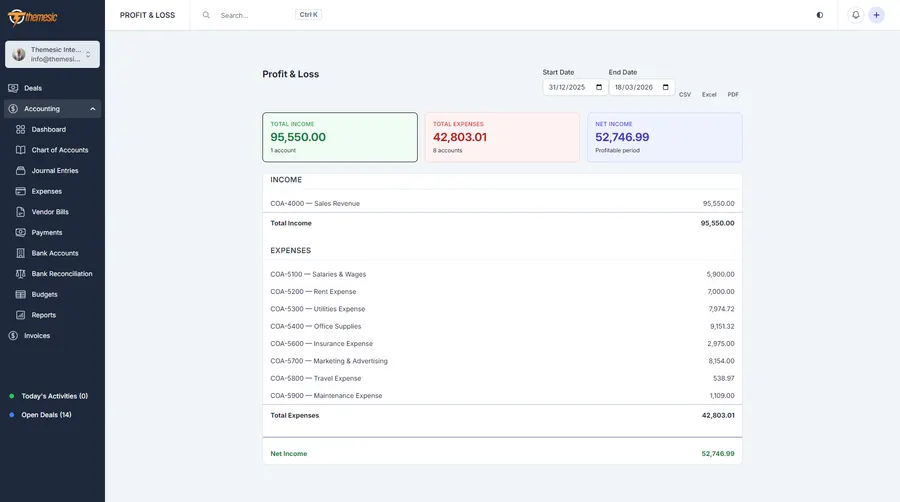
Generate the key financial reports directly inside Concord CRM:
- Profit and Loss
- Balance Sheet
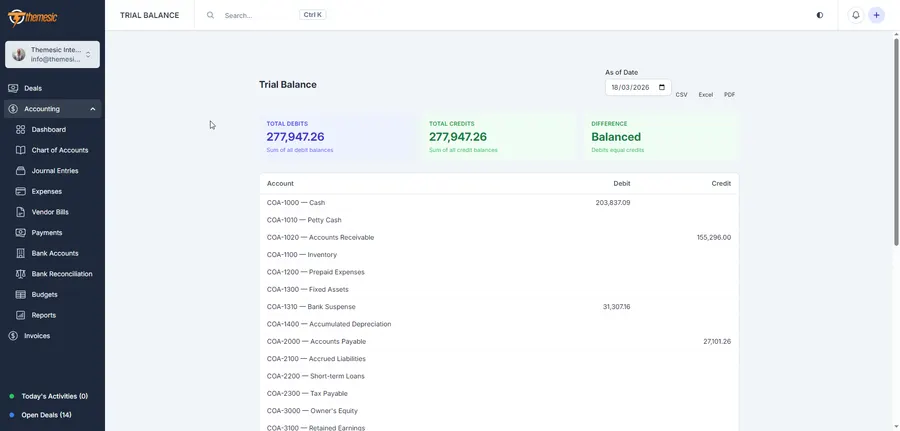
- Trial Balance
- General Ledger
- Cash Flow
- A/R Aging and A/P Aging
- Tax Summary, and more
Smart automations and scheduled jobs
Optional automation can generate journal entries for common workflows - expenses, bills, payments, bank transactions, invoices and assets. Scheduled tasks can process recurring entries, update overdue bills and recalculate balances, so the routine work keeps itself current.
Seamless integration (invoices and assets)
The module is designed to integrate with your existing Concord CRM ecosystem, including invoice flows (A/R and revenue entries) and asset workflows (purchase, depreciation, maintenance and liquidation).
Central settings and configuration
Configure your fiscal year, default currency, tax rates, default accounts, number prefixes (JE-, EXP-, BILL-, PAY-) and automation behavior from dedicated settings pages.
Who this module is for
- Small and medium businesses replacing spreadsheets and disconnected tools with structured bookkeeping inside Concord CRM.
- Agencies and service companies that want invoices, payments and reporting close to their operational data.
- Companies managing payables tracking vendor bills, due dates, payments and A/P aging in one place.
- Teams that need reconciliation, importing bank statements, matching transactions and speeding up month-end close.
What’s included at a glance
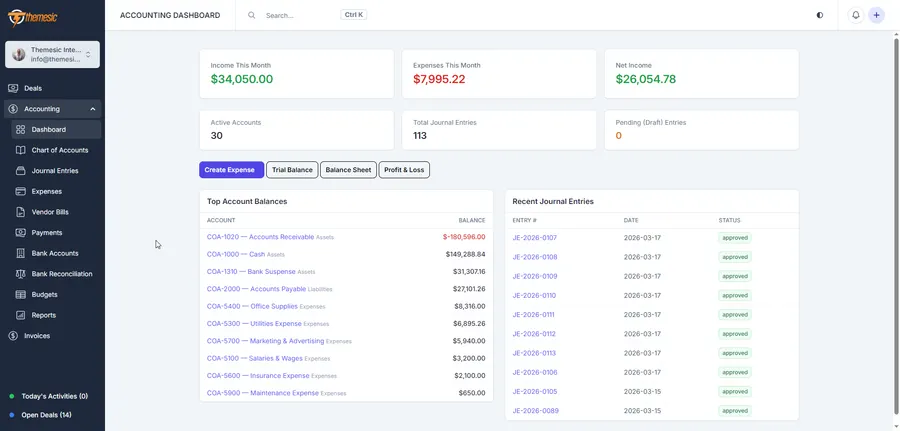
- Accounting dashboard with key summaries
- Chart of accounts (GL) with hierarchy and account types
- Manual journal entries with multi-line debit/credit and a posting workflow
- Expenses with categories, vendors, tax and receipt attachments
- Vendor bills (A/P) with due dates and overdue tracking
- Payments (received and made) with references and numbering
- Bank accounts with currency support
- CSV bank statement import with flexible mapping
- Bank reconciliation (match / auto-match / reconcile)
- Budgets with budget-vs-actual reporting
- Multi-currency with exchange rates and conversion
- Financial reports: P&L, Balance Sheet, Trial Balance, General Ledger, Cash Flow, Aging, Tax Summary
- Optional automations and scheduled jobs (recurring entries, depreciation, balances)
- Integrated with Concord CRM workflows (invoices and assets)
Upgrade Concord CRM into a finance-ready platform
If you want a clean, practical accounting layer inside your CRM, this module gives you the essentials to record, reconcile and report with confidence. Setup takes only a few minutes: install, configure your chart of accounts, and start tracking financial activity immediately.
Support that actually answers
Buy direct and you reach the people who wrote the code - not a marketplace ticket queue.
- Priority support - replies the same day, straight from the development team that built it.
- Six months of priority support on Standard (extendable), and instant priority support on Pro for as long as the subscription is active.
- Support covers guidance on installation, configuration and upgrades - real answers, never canned macros.
- Regular updates and immediate bug fixing, included in every license type.
-
- Initial release
Ready to drop Accounting and Bookkeeping for Concord into your stack?
Standard $39 one-time, or Pro from $7.50/mo billed yearly - updates and support while your subscription is active, and quick, secure checkout. Cheaper than the old CodeCanyon price, with no marketplace cut.
Frequently asked questions
Everything you need to know before buying - and what to do if you still have questions.
Is Accounting and Bookkeeping for Concord compatible with the latest version?
Yes - the current release is v1.0.0, last updated September 2026, built for PHP 7.x, PHP 8.x, MySQL 5.x, MySQL 8.x, Other. Lifetime updates keep it current as new platform versions ship.
What does the $39 Standard license include?
One payment of $39 covers the exact same files sold on CodeCanyon - full unencrypted source code, documentation and lifetime free updates - plus six months of developer support, at a lower price than the marketplace. It licenses a single installation you own and run.
Can I use Accounting and Bookkeeping for Concord in a SaaS or a client product?
That is what the Pro plan is for: $7.50/mo billed yearly. It adds instant priority support for as long as the subscription is active, installation on unlimited domains you own, and the right to use the module in SaaS and multi-tenant products.
How do I receive the product after buying?
Checkout runs through Stripe. Your license key and download are issued instantly, and every future update is available from your account the moment it ships.
Related products
Other Concord CRM Modules built and maintained by the same team, sold direct.
Featured in these guides
Comparisons from our catalogue where Accounting and Bookkeeping for Concord earns its pick - see how it stacks up.