The Best Perfex CRM Live-Chat & Customer-Support Modules
Updated June 25, 2026
Perfex CRM has tickets, but tickets are not how most customers want to reach you in 2026 - they want to chat, on the app they already use, and get an answer now. "Add support to Perfex" splits into four genuinely different products, and the listings make them look more alike than they are. Buy the wrong one and you either over-build (a full omnichannel platform when you wanted a button) or hit a wall (a deep-link button when you needed a real inbox).
The distinction that decides everything is whether the module runs the conversation or just opens it. An omnichannel inbox pulls WhatsApp, Telegram, Email, SMS and more into one screen, matches each sender to a Perfex client, and lets AI draft and triage - it is the messaging engine. A hosted live-chat module embeds a third-party widget (Olark, Intercom, LiveChat) inside the CRM, so the conversation lives in that provider, not Perfex. A support launcher gathers your contact channels into one always-visible panel in the client portal - a front door, not a back office. And a WhatsApp button simply deep-links a visitor into a thread with your number. Pick by who answers, where the history lives, and how much setup you can stomach.
The four modules below are ordered most-capable first, then by how much they do for you. Every feature, rating and version is taken from the live product data - no invented capabilities, and the honest overlaps are called out, because three of these four route people to a conversation rather than hosting it, and only one is the inbox itself.
-
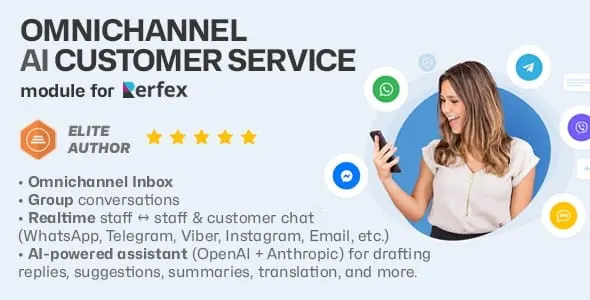
The heavyweight: a true omnichannel inbox that pulls WhatsApp, Telegram, Email (IMAP/SMTP), SMS, Slack and Viber into one Channels tab, auto-matching each sender to the right Perfex client, contact or lead with their tickets, invoices and history in view. Its standout is the built-in AI assistant on OpenAI (ChatGPT) and Anthropic (Claude): Draft Reply, three Smart Suggestion chips, Rewrite, spelling and grammar, thread Summary, Sentiment Analysis to flag at-risk customers, and on-the-fly Translation - with per-conversation usage logs and cost estimates. An automation engine routes, sets status and priority, tags, opens tickets and can fire AI auto-replies. It also adds Slack-style staff and client messaging. Honest notes: it is the most involved to set up (you connect each channel and wire AI keys), and at a 4.0 rating from just 4 reviews it is newer than the simpler modules here - though it is by far the most actively developed (v1.3.5).
Best for: Teams that want every customer channel and an AI co-pilot in one Perfex inbox, and are willing to configure channels and AI to get it.
-
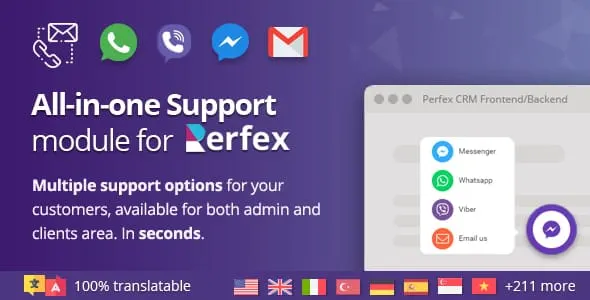
The tidy front door. The All-in-One Support module gathers your direct-contact options - WhatsApp, Messenger, Viber and the rest - into a single, always-visible panel inside the authenticated customer and staff area, so a logged-in user picks their preferred app in one click instead of hunting for a link or an inbox. Because it lives inside the portal session, you already know who is reaching out, which makes each conversation faster to handle. It is genuinely drop-in: install, activate, choose your channels, with no theme or core files touched, and it carries a clean 5.0 rating (from 3 reviews). The deliberate limit - and the reason it pairs so well with PulseChat above - is that it routes people to your channels rather than running the conversations itself: it guarantees customers can find you, but the messaging happens in each app. One caveat from its data: it is listed for PHP 7.x only (v1.0c).
Best for: Stores that want one always-visible multi-channel launcher (WhatsApp + Messenger + Viber) in the client portal, with zero conversation tooling to manage.
-
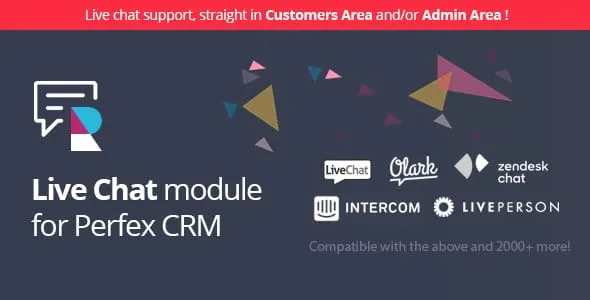
The bring-your-own-provider option. Rather than locking you to one vendor, this module hosts the embeddable chat widget of your choice inside Perfex - it is compatible with virtually every provider that offers a snippet, more than two thousand of them, including Olark, LiveChat, LivePerson and Intercom. You paste your provider's embed code into the settings and choose where it renders: the Customers Area, the Administration area, or both. Because it works through each provider's own snippet, you keep the agents, history and tooling your team already relies on, and switching providers later just means swapping the code - no development work, live the same day. Rated 5.0 from 3 reviews, on PHP 7.x or 8.x (v1.0). The honest trade-off: the conversation and agent features live in that third-party service, not in Perfex - so unlike PulseChat there is no native CRM matching, AI assistant or ticket creation; its job is purely to surface a widget you already pay for.
Best for: Teams already invested in a hosted live-chat provider (Olark, Intercom, LiveChat) who just want it embedded inside the CRM.
-
The simplest of the set, and that is the point. It drops a WhatsApp contact button into the Customers Area, the Admin area, or both, deep-linking visitors into a real WhatsApp thread with the number you configure - WhatsApp Web on desktop, the native app on mobile - so the chat starts the moment they tap, with read receipts, media and history intact in the app they already trust. There is no Cloud API, no WhatsApp Business Account, no template approval and no per-message quota; you set a number and it is live in minutes. Built on CodeIgniter to match the Perfex core, it runs on PHP 7.4+ (v1.0) and holds a 5.0 rating from 3 reviews. The clear limit: it only opens conversations against a single number - it sends no automated notifications, captures nothing back into the CRM, and is one channel, not the unified inbox PulseChat provides.
Best for: Anyone who just wants a one-tap "chat with us on WhatsApp" button, with no API setup and nothing to maintain.
| Module | Platform | Standard | Rating | Best for |
|---|---|---|---|---|
| PulseChat | CodeIgniter | $49 | ★ 4.20 | Teams that want every customer channel and an AI co-pilot in one Perfex inbox, and are willing to configure channels and AI to get it. |
| Chat Support Module | CodeIgniter | $39 | ★ 5.00 | Stores that want one always-visible multi-channel launcher (WhatsApp + Messenger + Viber) in the client portal, with zero conversation tooling to manage. |
| Live Chat module for Perfex CRM | CodeIgniter | $29 | ★ 5.00 | Teams already invested in a hosted live-chat provider (Olark, Intercom, LiveChat) who just want it embedded inside the CRM. |
| WhatsApp Chat Module | CodeIgniter | $39 | ★ 5.00 | Anyone who just wants a one-tap "chat with us on WhatsApp" button, with no API setup and nothing to maintain. |
The verdict
There is no single best Perfex support module - there is a best one for who answers and where the history should live. If you want to actually run customer service inside Perfex - every channel in one inbox, senders matched to clients, and AI from OpenAI and Anthropic drafting, summarizing and triaging - PulseChat is the clear pick, and the only true engine of the four; it asks for more setup and is newer (4.0 from 4 reviews, but the most actively developed at v1.3.5), and it earns it. If you already pay for a hosted live-chat provider like Olark, Intercom or LiveChat, the Live Chat module simply embeds that widget in the CRM (5.0 from 3 reviews) and keeps your existing agents and transcripts. If you just need customers to always find your channels, the All-in-One Support launcher puts WhatsApp, Messenger and Viber in one always-visible portal panel (5.0 from 3 reviews) and pairs naturally with PulseChat as the front door to its back office. And if all you want is a one-tap WhatsApp button against a single number, the simple WhatsApp module installs in minutes with no API at all (5.0 from 3 reviews). Match the tool to who handles the conversation, and you will not overpay in setup time for capability you never use - or hit a wall the week after launch.
Questions, answered
What is the real difference between PulseChat and the live-chat or WhatsApp modules?
PulseChat is the conversation engine: it ingests WhatsApp, Telegram, Email, SMS, Slack and Viber into one Perfex inbox, matches each sender to a client or lead, and adds AI drafting, sentiment analysis and automation - the messages and history live in your CRM. The Live Chat module instead embeds a third-party widget (Olark, Intercom, LiveChat and 2,000+ others), so the conversation lives in that provider, not Perfex. The simple WhatsApp module is just a deep-link button to one number with no inbox at all. Pick PulseChat when you want to run support inside Perfex with AI; pick the others when you already have a provider, or only need a button.
Do I need to be technical to set these up?
It varies a lot. The WhatsApp button and the All-in-One Support launcher are configuration-only - install, activate, set your number or pick your channels, done in minutes with no code. The Live Chat module is nearly as simple: paste your provider's embed snippet and choose where it appears. PulseChat is the most involved: you connect each external channel (WhatsApp, Telegram, email over IMAP/SMTP, and so on) and add your OpenAI/Anthropic API keys for the AI features - still no coding, but meaningfully more configuration in exchange for far more capability.
Which module actually uses AI to help my agents reply?
Only PulseChat. It connects to OpenAI (ChatGPT) and Anthropic (Claude) to draft full replies, offer three short Smart Suggestion chips, rewrite drafts in a chosen tone, fix spelling and grammar, summarize long threads, run sentiment analysis to flag angry or at-risk customers, and translate on the fly - with configurable models, a custom system prompt, and per-conversation usage and cost logs. The Live Chat module can host a provider that has its own AI, but that is the provider's feature, not the module's. The All-in-One launcher and the WhatsApp button have no AI - they route people to a channel rather than helping you answer.
Can I combine these, for example a support launcher plus a real inbox?
Yes, and it is a sensible pairing. The All-in-One Support module guarantees customers can always find your channels from inside the portal (a front door), while PulseChat handles the actual conversations once they arrive (the back office). Likewise the simple WhatsApp button or a hosted Live Chat widget can sit alongside PulseChat. The thing to avoid is buying two engines for the same job - if PulseChat already unifies WhatsApp and the rest into one inbox, you do not also need the standalone WhatsApp button for that same number.
Related guides
Browse the full Themesic catalogue
Every module sold direct - lifetime updates, real developer support, and full source code. Cheaper than the marketplace, with no middleman cut.