WhatsApp Cloud API Business Integration module for Perfex CRM
Perfex CRM module, bought direct - lifetime updates and real support.
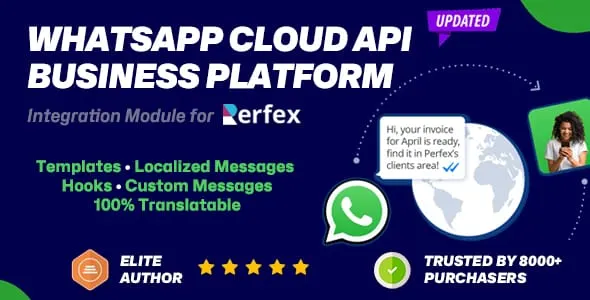
See it in action
About WhatsApp Cloud API Business Integration module for Perfex CRM
Reach your customers on the channel they actually read. The WhatsApp Business Platform integration module for Perfex CRM lets medium and large businesses connect with customers at scale over the official WhatsApp Cloud API, sending automated notifications and information the moment key events happen in your CRM - a new invoice, a fresh lead, a proposal, a captured payment and more. Because messages route through Meta’s cloud-hosted WhatsApp Business API client, there are no servers for you to run, free messaging is available under your WhatsApp Business Account (WABA) limits, and scaling your business messaging is effortless.
Instead of hoping an email gets opened, you deliver timely, personalized updates straight to the channel your customers prefer to be reached on. Every message fires from rules you define, each tied to a trigger point chosen from the everyday Perfex CRM functions your team already performs.
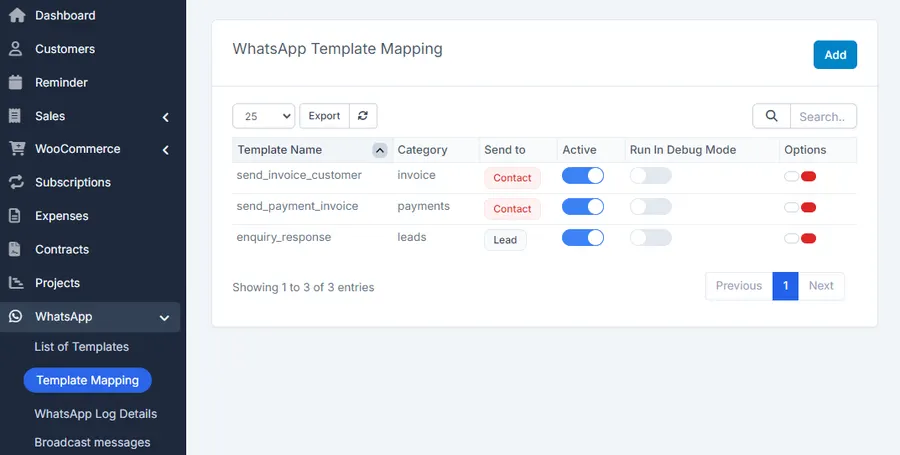
Automated WhatsApp notifications for every Perfex CRM event
Map a WhatsApp template to any of the following triggers and the module sends the right message to the right person automatically. Every template supports merge fields during mapping, so each notification stays personal:
- Contacts - WhatsApp the contact’s phone number when a new contact is created.
- Invoices - notify the primary contact of the related customer and a selected staff member on invoice creation.
- Leads - alert the lead’s assigned staff member and the lead contact when a new lead is created.
- Tasks - notify the related customer’s primary contact and the first staff member assigned to the task.
- Projects - keep the customer’s primary contact and the first assigned staff member in the loop when a project is created from the admin area.
- Proposals - message the proposal’s primary contact and a selected staff member.
- Tickets - update the customer’s primary contact and the staff member assigned to the ticket.
- Payments - confirm captured payments to the customer’s primary contact and a selected staff member.
- Estimates, contracts, credit notes and expenses - send notifications as these documents are created.
- Subscriptions and staff reminders - notify on new subscriptions and send reminder notifications to staff members.
- WhatsApp OTP - send one-time passcodes to staff members through a mapped template, with button support.
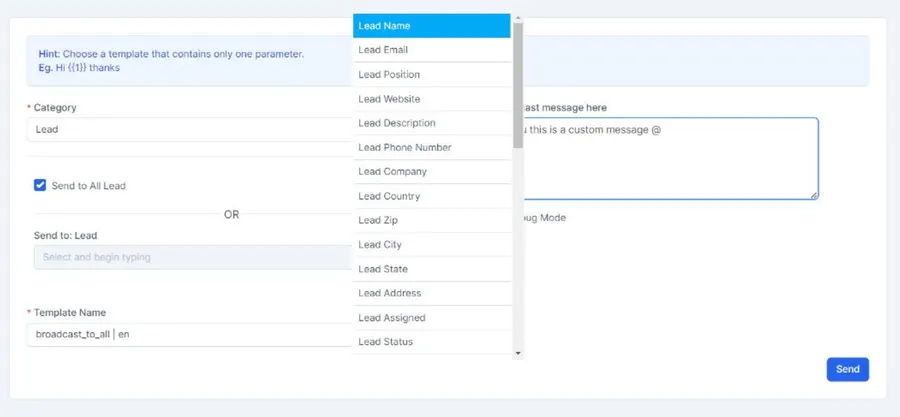
Broadcast messages with a merge field and media
Send custom broadcast messages to your customers, leads and staff members straight from Perfex CRM. Each broadcast supports one dynamic (merge) field for personalization plus an optional image, so promotions, announcements and reminders feel tailored rather than mass-sent. Templates themselves support images and videos, giving your messages richer content than plain text.
Built for control and reliability
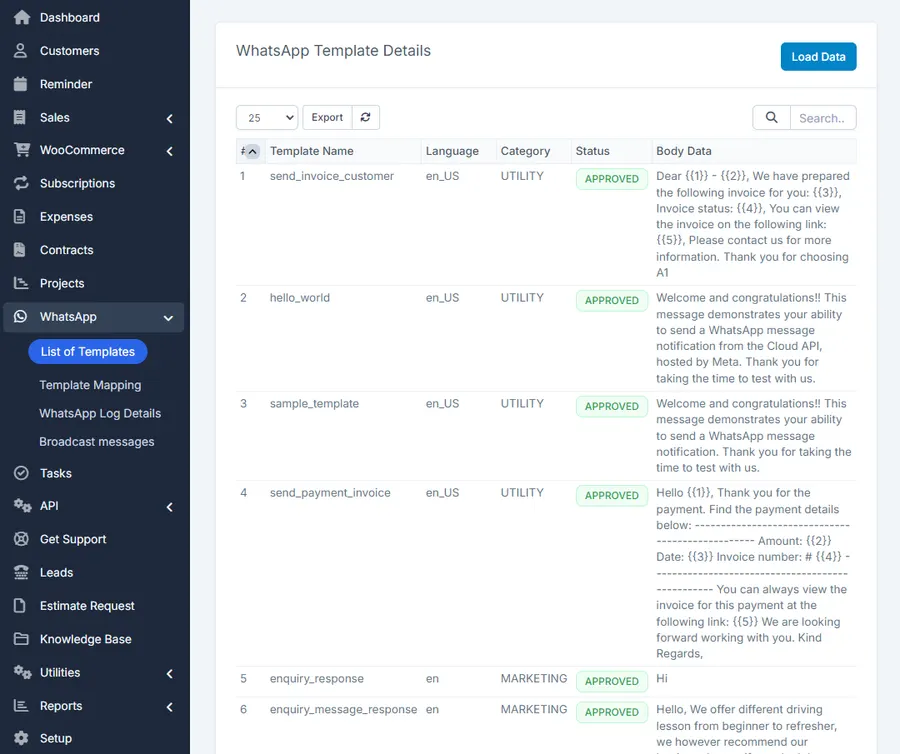
- Template-driven - every notification uses a mapped WhatsApp template with merge fields populated from your CRM data, and mapped templates can be cloned to speed up setup.
- Role-based limits - restrict who can use the module through Perfex CRM staff roles and permissions.
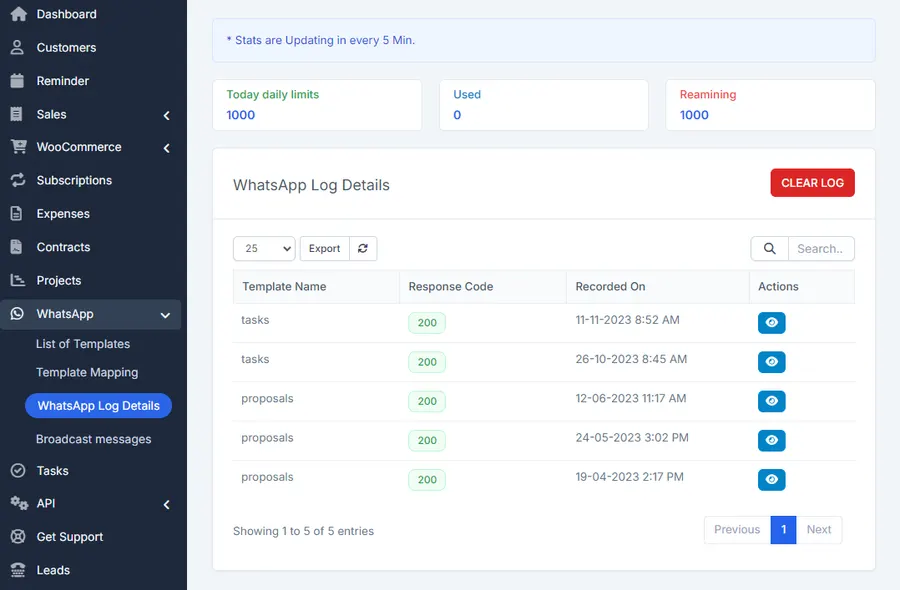
- Detailed logging - a dedicated log area records each execution and surfaces clear details when a message fails, making issues easy to debug.
- Usage statistics - keep an eye on your message usage with built-in statistics.
- Delayed sending - an optional delayed cron function spaces out delivery.
- Smart targeting - notifications go to the customer’s primary contact whenever a valid mobile number with country code is on file, and a per-client “WhatsApp Updates” phone field can override the default number a customer’s notifications are sent to.
A practical note on how triggering works: the module captures data through Perfex CRM action hooks, so records created or changed by purely programmatic means outside those hooks are not monitored.
What you need to get started
To send messages over the WhatsApp Business Platform you’ll need a display name to show in the messages your customers see, a phone number associated with your business account, a WhatsApp Business Account and a Meta Business Manager. The Cloud API lets you run WhatsApp Business APIs without hosting your own servers and makes scaling your messaging straightforward. You can skip verification of the Facebook App used for sending, though that caps you at 50 free messages per day; verifying lifts the limit to WhatsApp’s standard Business Use Case rate limits.
Setup and compatibility
This is a module for Perfex CRM, requiring PHP 7.4 or higher and Perfex CRM v3.0 or newer. Installation and activation take only seconds and absolutely no coding is needed - just follow the included documentation, which is provided online as complete, step-by-step instructions with detailed information and screen-recorded videos.
Support that actually answers
You reach the people who wrote the code, not a faceless ticket queue.
- Priority support - replies the same day, straight from the development team that built it.
- Support from the team that built it, alongside Envato buyer support on CodeCanyon.
- Support covers guidance on installation, configuration and upgrades - real answers, never canned macros.
- Regular updates and immediate bug fixing, included in every license type.
-
- New Features:
- -Estimates and contracts notifications
- -Credit notes notifications
- -Expense notifications
-
- Videos / Images support in Templates
What customers say
Verified buyer reviews from CodeCanyon, where WhatsApp Cloud API Business Integration module for Perfex CRM holds a 4.00 / 5 rating across 17 ratings.
Beautifully written, amazing and prompt support
Great technical support for fixing the issue and making it better
Want WhatsApp Cloud API Business Integration module for Perfex CRM in your stack?
This product is sold on the CodeCanyon marketplace. Reach us for licensing questions, or read the docs first.
Frequently asked questions
Everything you need to know before buying - and what to do if you still have questions.
Is WhatsApp Cloud API Business Integration module for Perfex CRM kept up to date?
Yes - the current release is v1.4.0, last updated September 2026, built for PHP 7.x, PHP 8.x, CodeIgniter. Updates track new platform releases as they land.
Where can I buy WhatsApp Cloud API Business Integration module for Perfex CRM?
WhatsApp Cloud API Business Integration module for Perfex CRM is sold on the CodeCanyon marketplace rather than direct here. If you have licensing or pre-sales questions, contact us and we will point you the right way.
Do I get the full source code?
Yes - the module ships as complete, unencrypted source code you can audit, adapt and extend.
Related products
Other Perfex CRM Modules built and maintained by the same team, sold direct.

Featured in these guides
Comparisons from our catalogue where WhatsApp Cloud API Business Integration module for Perfex CRM earns its pick - see how it stacks up.