Staff Outsourcing & Smart Resources Booking module for Perfex CRM
Perfex CRM module, bought direct - lifetime updates and real support.

About Staff Outsourcing & Smart Resources Booking module for Perfex CRM
Advanced staff management for Perfex CRM
The Staff Outsourcing & Resources Booking module for Perfex CRM lets you book and manage outsourced staff inside the Perfex admin. If your company outsources staff members’ time, it gives you an efficient way to keep those resources under control. Instead of juggling availability in spreadsheets, you organise the people you hire out, book their time, and report on how they are used - all without leaving the CRM you already run.
Once the module is activated, a new menu item named Staff Outsource and Resources Booking appears in the right column of your Perfex admin area, ready to manage groups, resources and bookings.
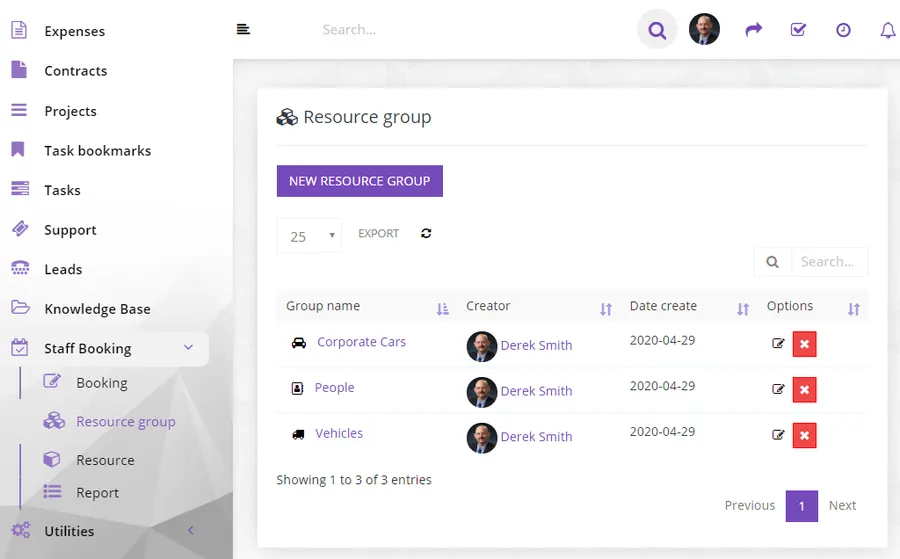
Organise staff into resource groups
The module is built around a flexible categorisation. As an admin, you start by creating Resources Groups, the categories under which staff members can be added. Once a group exists, you assign the staff members available for outsource work to it from the Resources tab. Groups keep your outsourced resources structured as your roster grows, and you can list or search them from every menu.
- Resources Groups - create the categories your outsourcing is organised around.
- Resources - assign staff members available for outsource work under the relevant group.
- List and search everywhere - find groups and bookings quickly from any menu or view.
Create and manage bookings
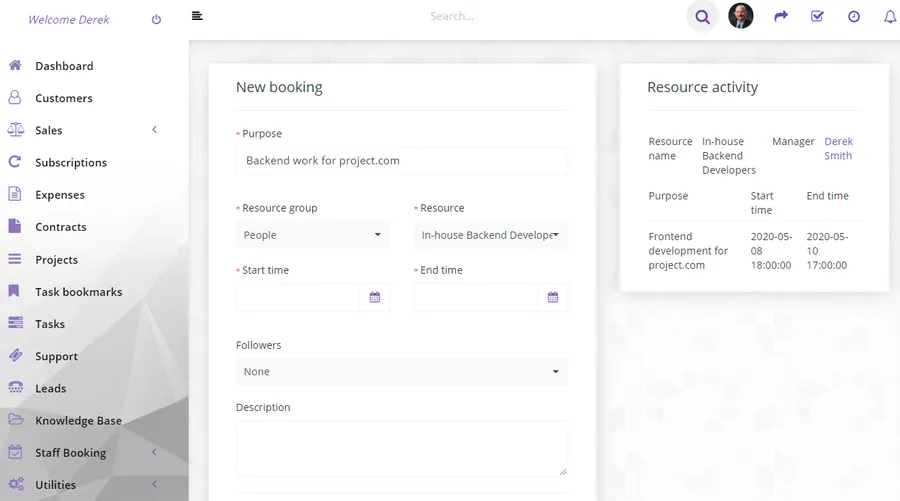
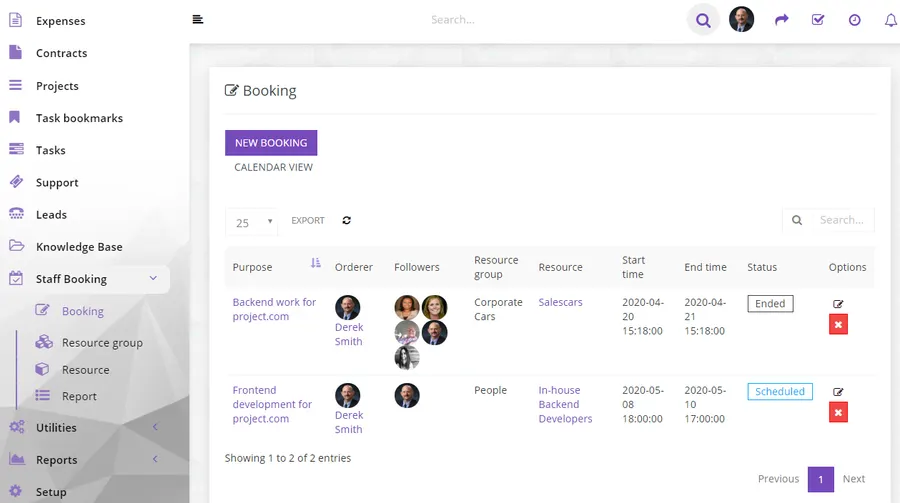
With your groups and resources in place, you reserve staff time through the booking workflow. A complete booking showcase presents your reservations together with the module’s functionality, so the people coordinating outsourced work always have a clear view of what is booked.
View your bookings on a calendar
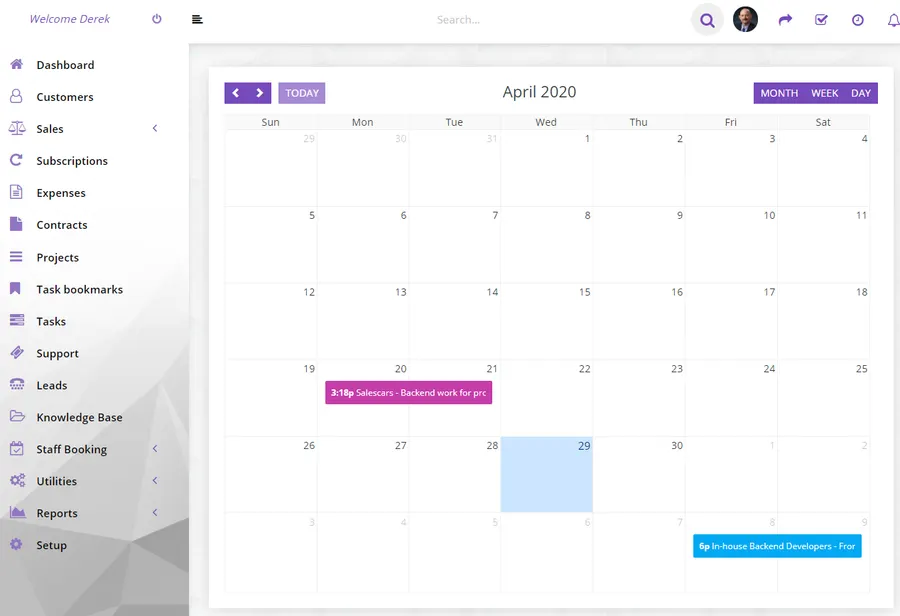
Beyond the list, you can view your bookings under a Calendar, laying reservations out on a schedule so you can see what is committed and plan accordingly.
Report on resource usage
The module includes a set of supportive functions for better reporting. It integrates HighchartsJS, so you can generate visual reports straight from the Reports menu and understand how your outsourced resources are being used. When you need an offline record, you can export your data, and list or search your groups and bookings from anywhere in the module.
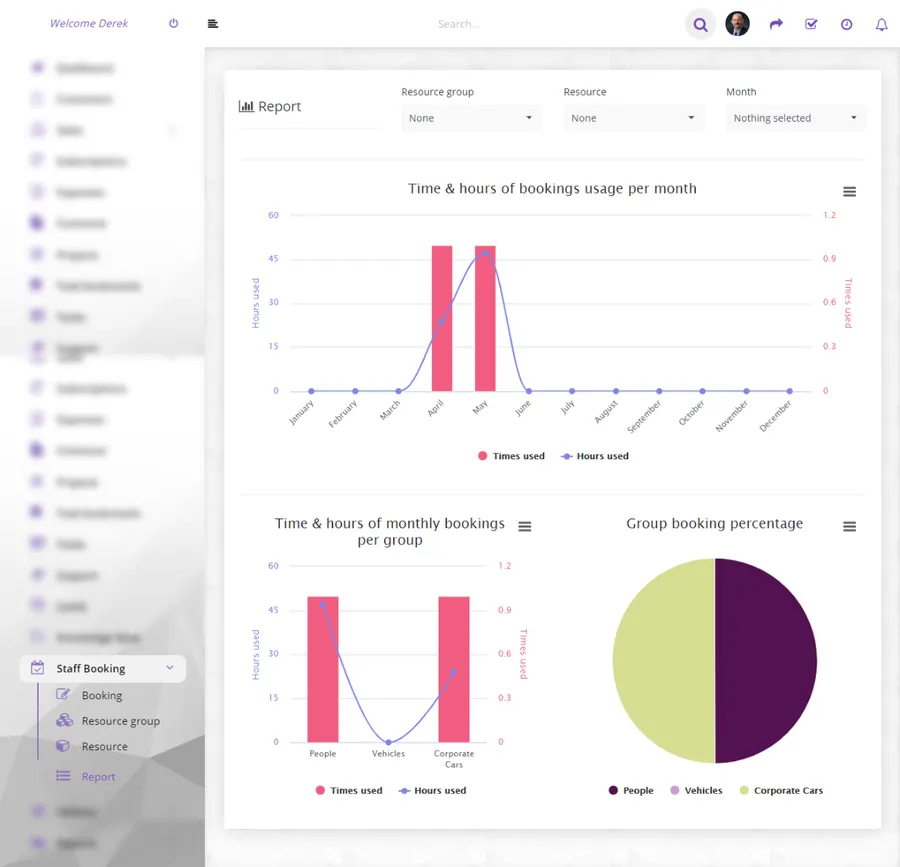
- Built-in reports - generate Highcharts-powered reports from the Reports menu.
- Data export - export your groups and bookings whenever you need them offline.
- Search and filter - list and search groups and bookings across every view.
Built for Perfex CRM
This is a module for Perfex CRM, so your groups, resources, bookings and reports live alongside the customers, projects and staff you already manage. It is compatible with Perfex core v3.x and PHP 8.x, with a minimum PHP version of 7.4. Included documentation walks you through uploading and activating the module inside Perfex if you are not sure how, and covers quick workflow tips to get you started.
Support that actually answers
Buy direct and you reach the people who wrote the code - not a marketplace ticket queue.
- Priority support - replies the same day, straight from the development team that built it.
- Six months of priority support on Standard (extendable), and instant priority support on Pro for as long as the subscription is active.
- Support covers guidance on installation, configuration and upgrades - real answers, never canned macros.
- Regular updates and immediate bug fixing, included in every license type.
-
- Compatibility fixes for PHP8.x
-
- Initial version
- Minimum PHP version required: 7.4
Ready to drop Staff Outsourcing & Smart Resources Booking module for Perfex CRM into your stack?
Standard $49 one-time, or Pro from $9/mo billed yearly - updates and support while your subscription is active, and quick, secure checkout. Cheaper than the old CodeCanyon price, with no marketplace cut.
Frequently asked questions
Everything you need to know before buying - and what to do if you still have questions.
Is Staff Outsourcing & Smart Resources Booking module for Perfex CRM compatible with the latest version?
Yes - the current release is v1.0b, last updated September 2026, built for PHP 7.x, CodeIgniter. Lifetime updates keep it current as new platform versions ship.
What does the $49 Standard license include?
One payment of $49 covers the exact same files sold on CodeCanyon - full unencrypted source code, documentation and lifetime free updates - plus six months of developer support, at a lower price than the marketplace. It licenses a single installation you own and run.
Can I use Staff Outsourcing & Smart Resources Booking module for Perfex CRM in a SaaS or a client product?
That is what the Pro plan is for: $9/mo billed yearly. It adds instant priority support for as long as the subscription is active, installation on unlimited domains you own, and the right to use the module in SaaS and multi-tenant products.
How do I receive the product after buying?
Checkout runs through Stripe. Your license key and download are issued instantly, and every future update is available from your account the moment it ships.
Related products
Other Perfex CRM Modules built and maintained by the same team, sold direct.

Featured in these guides
Comparisons from our catalogue where Staff Outsourcing & Smart Resources Booking module for Perfex CRM earns its pick - see how it stacks up.