Google Workspace Integration module for Perfex CRM
Drive, Sheets, Docs, Forms & Slides
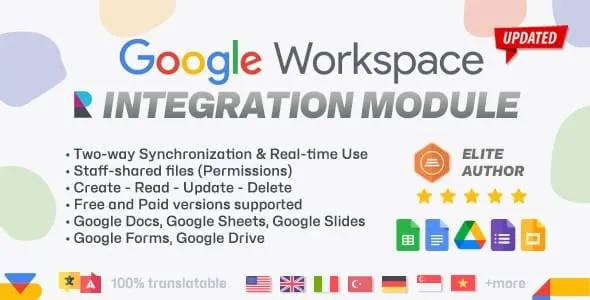
See it in action
About Google Workspace Integration module for Perfex CRM
Two-way Google Workspace sync, right inside Perfex CRM
Stop bouncing between browser tabs to keep your CRM and your Google files in step. This Google Workspace integration module for Perfex CRM brings real two-way synchronization between Google and your dashboard, so you can create, edit, and manage Google Sheets, Docs, Slides, Forms, and Drive files without ever leaving Perfex. Make a change on Google’s side and it is reflected in Perfex; make it in Perfex and it updates in Google - in real time, on both platforms.
The result is a single, accurate source of truth for your spreadsheets and documents: less manual data entry, fewer errors, and one convenient place to manage everything your team works on.
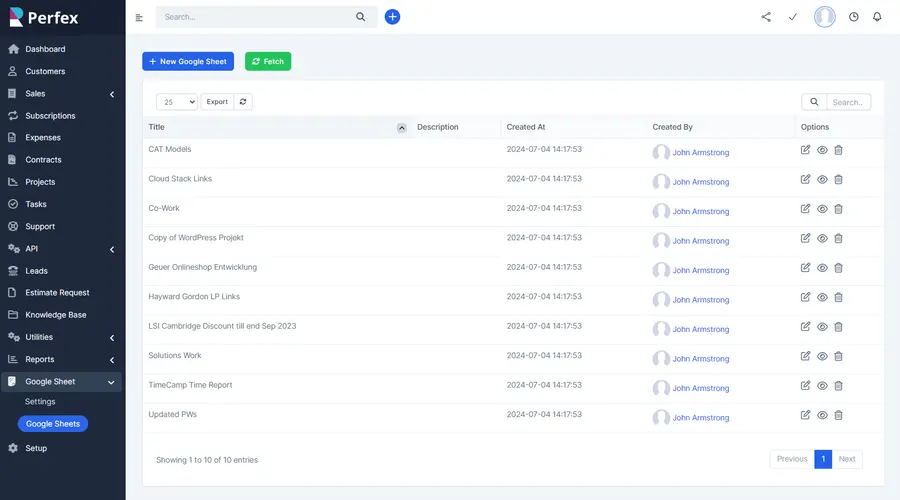
Create and manage files without leaving the dashboard
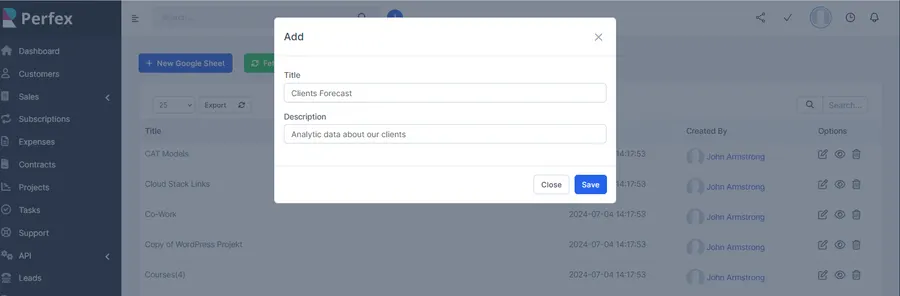
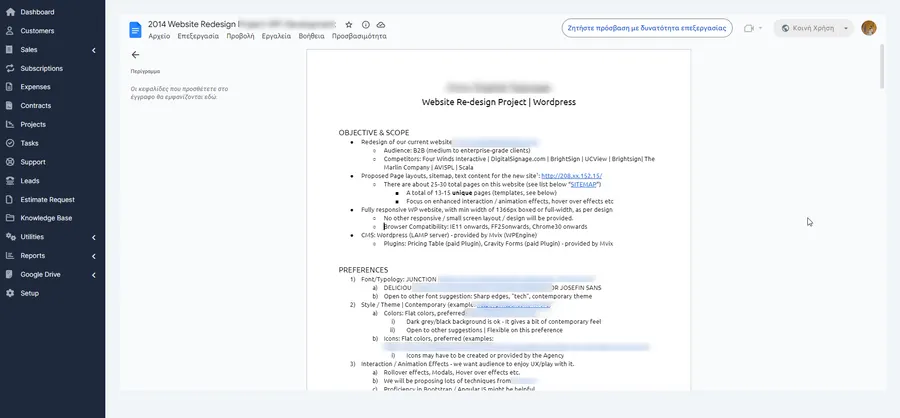
Spin up a new spreadsheet straight from the dashboard - give it a title and description, and the module creates and links it for you. From that point the file is yours to manage inside Perfex: edit existing files, update their details, and keep everything organised without ever switching tabs.
Edits flow straight back to Google, and any changes made in Google show up in Perfex, so both sides stay current and accurate. The same workflow covers your whole library of synced files from a single screen.
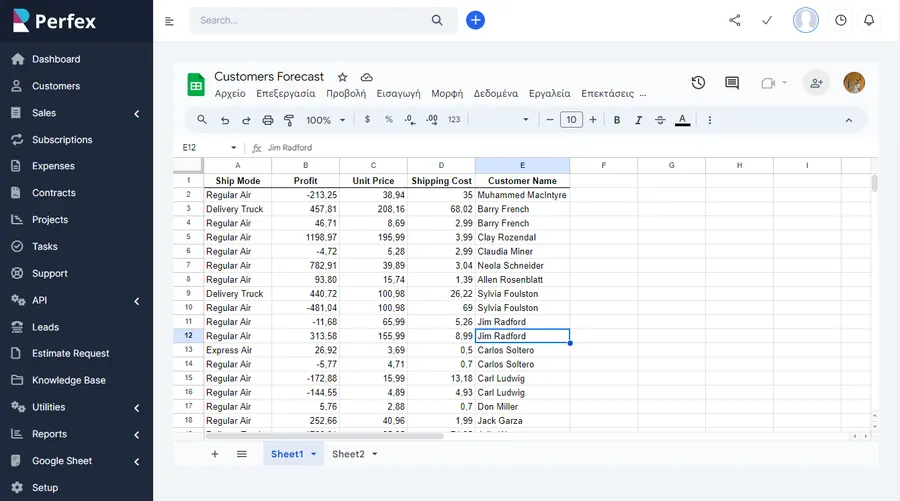
Beyond spreadsheets - the full Google Workspace
The module is not limited to Sheets. Google Docs, Slides, Forms, and Drive files sync the same way, so you can create new files, edit existing ones, and manage them all from inside the Perfex CRM interface - a client proposal, a campaign deck, or an intake form lives right alongside your CRM data.
Collaboration and permission control
Share your synchronized Sheets, Docs, Slides, Forms, and Drive files with team members so everyone stays on the same page and has access to up-to-date information.
Access is governed per employee. Administrators can grant access to, or block, specific staff members from reaching synced files through their admin area account. When a file is private, access is handled by an automated request-and-grant flow: a non-privileged staff member requests access from the file owner, and the owner approves it - so sensitive spreadsheets and documents stay in the right hands.
Automated, customizable synchronization
Synchronization runs on your terms. Fetch the latest data manually whenever you need it, or let Perfex CRM’s own cron job refresh it automatically on a schedule. Tailor the sync settings to match your business needs and workflow, and let automation handle the repetitive updates that would otherwise eat your time and invite mistakes.
- Eliminate double entry - automated synchronization removes the manual copying that causes errors and discrepancies.
- Always current data - real-time, bi-directional updates keep both platforms accurate.
- One place for everything - manage every spreadsheet, doc, form, slide deck, and Drive file from inside Perfex.
- Tailored to your workflow - run sync manually or automatically via Perfex CRM’s cron job.
Built for the way teams work
The module suits a wide range of roles. Sales teams track leads, manage sales data, and monitor performance. Marketing departments organise campaign data, analyse metrics, and share reports. Finance professionals sync financial records, budgets, and forecasts. Project managers keep project data in step so every stakeholder has the latest information.
Setup and requirements
This module is built for Perfex CRM. Installation takes only a few seconds: in Perfex CRM go to Settings > Modules > Upload, upload the module’s zip file, and activate it at the next step. After a quick walk through the included documentation to connect the required Google account, you are fully up and running.
Support that actually answers
Buy direct and you reach the people who wrote the code - not a marketplace ticket queue.
- Priority support - replies the same day, straight from the development team that built it.
- Six months of priority support on Standard (extendable), and instant priority support on Pro for as long as the subscription is active.
- Support covers guidance on installation, configuration and upgrades - real answers, never canned macros.
- Regular updates and immediate bug fixing, included in every license type.
-
- Code Optimization
-
- Google Forms support added
- Google Slides support added
- Google Drive support added
-
- Google Docs support added
What customers say
Verified buyer reviews from CodeCanyon, where Google Workspace Integration module for Perfex CRM holds a 4.43 / 5 rating across 7 ratings.
Excellent support team that responds quickly and resolves issues efficiently.
Ready to drop Google Workspace Integration module for Perfex CRM into your stack?
Standard $49 one-time, or Pro from $9/mo billed yearly - updates and support while your subscription is active, and quick, secure checkout. Cheaper than the old CodeCanyon price, with no marketplace cut.
Frequently asked questions
Everything you need to know before buying - and what to do if you still have questions.
Is Google Workspace Integration module for Perfex CRM compatible with the latest version?
Yes - the current release is v1.4.0, last updated August 2026, built for PHP 7.x, PHP 8.x, MySQL 5.x, MySQL 8.x. Lifetime updates keep it current as new platform versions ship.
What does the $49 Standard license include?
One payment of $49 covers the exact same files sold on CodeCanyon - full unencrypted source code, documentation and lifetime free updates - plus six months of developer support, at a lower price than the marketplace. It licenses a single installation you own and run.
Can I use Google Workspace Integration module for Perfex CRM in a SaaS or a client product?
That is what the Pro plan is for: $9/mo billed yearly. It adds instant priority support for as long as the subscription is active, installation on unlimited domains you own, and the right to use the module in SaaS and multi-tenant products.
How do I receive the product after buying?
Checkout runs through Stripe. Your license key and download are issued instantly, and every future update is available from your account the moment it ships.
Related products
Other Perfex CRM Modules built and maintained by the same team, sold direct.


Featured in these guides
Comparisons from our catalogue where Google Workspace Integration module for Perfex CRM earns its pick - see how it stacks up.