Webhooks plugin for RISE CRM
RISE CRM plugin, bought direct - lifetime updates and real support.
See it in action
About Webhooks plugin for RISE CRM
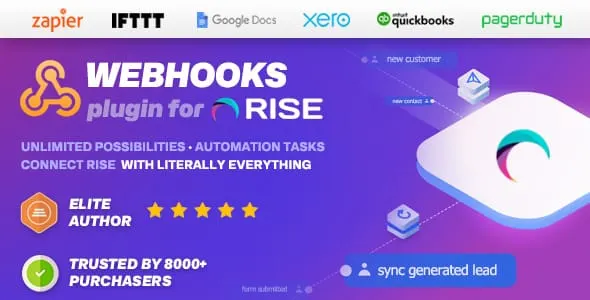
The Webhooks plugin for RISE CRM exchanges real-time information between RISE and every service that supports webhooks. It turns your CRM into the trigger for the rest of your stack. The moment something happens inside RISE - a lead comes in, an invoice is created, a ticket is opened - the plugin fires an outbound HTTP request to the service of your choice, with no constant polling in between. The possibilities and the automation are effectively unlimited.
Connect RISE CRM with every service that supports webhooks
A webhook is one of the ways apps send automated messages or information to other apps. It is the same mechanism that lets Twilio route an SMS or a phone call to your number, lets WooCommerce notify you about new orders in Slack, or lets Mailchimp sign people up from your website to your newsletter. With this plugin that capability lives inside RISE, so you can wire your CRM straight into the tools you already rely on.
Because the receiving service does the downstream work, the automations you can build are open-ended: you define the destination, the plugin delivers the event in real time, and the other application takes it from there.
Sync RISE leads with Zapier, Slack and Google Sheets
A common starting point is lead synchronization. The following walkthroughs show three sample webhook setups for popular services, all built around RISE leads:
- How to synchronize RISE leads with Zapier, using our plugin
- How to synchronize RISE leads with Zapier and Slack, using our plugin
- Synchronize RISE leads with Zapier and Google Sheets, using our plugin
Using similar steps, the same plugin can synchronize - or simply notify third-party services of your choice about - the other supported functions below, not just leads.
Supported RISE CRM functions
The plugin supports the following RISE CRM functions in its current version:
- Leads (Create), including a dedicated status-change action
- Contacts (Create)
- Invoices (Create)
- Tasks (Create)
- Projects (creation from staff)
- Proposals (Create)
- Tickets (Create)
- Payments (Create)
- Contracts (Create) and team members
Both the original Create events and an Update action are available across the hooks, and event payloads can include each record’s custom fields, not just its default data.
Full control over every webhook request
Every webhook you build is a complete HTTP request that you shape yourself.
Supported methods
Each webhook creation includes all of the standard HTTP methods:
- GET
- POST
- PUT
- PATCH
- DELETE
Supported request headers
Authenticating against a third-party API is straightforward, because 32 standard request headers are built in and every custom header is supported as well. The built-in headers are Accept, Accept-Charset, Accept-Encoding, Accept-Language, Accept-Datetime, Authorization, Cache-Control, Connection, Cookie, Content-Length, Content-Type, Date, Expect, Forwarded, From, Host, If-Match, If-Modified-Since, If-None-Match, If-Range, If-Unmodified-Since, Max-Forwards, Origin, Pragma, Proxy-Authorization, Range, Referrer, TE, User-Agent, Upgrade, Via and Warning.
Webhooks vs REST API
Wondering what the difference is between webhooks and a REST API? A webhook is a lightweight API that powers one-way data sharing triggered by events, whereas an API enables two-way communication between applications driven by requests.
A webhook - also called a reverse API, web callback, or HTTP push API - is a way for an app to provide other applications with real-time information. It delivers data as an event happens, or almost immediately, and is less resource-intensive because it saves you the time spent constantly polling for new data. The main difference is that a webhook does not need to send a request to get a response, while an API demands a request to get a response. In other words, webhooks receive while an API retrieves.
Built to extend over time
Recent versions have widened both event coverage and day-to-day usability: a Contract Create trigger and a team-member trigger joined the original set, an Update action was added for all hooks alongside the existing Create events, custom field support was added across all actions, and a status-change action was added for leads. A clone option lets you duplicate an existing webhook so you can roll out similar automations in seconds. Compatibility has been kept current for PHP 8.x, with ongoing dependency and performance optimizations.
Documentation and setup
The plugin takes only a few seconds to install and activate, and documentation is included so the setup process goes smoothly. Webhooks are an advanced programmatic technique that calls for some technical understanding, so a working familiarity with webhooks and the service you are connecting to will help you get the most out of the plugin.
Support that actually answers
You reach the people who wrote the code, not a faceless ticket queue.
- Priority support - replies the same day, straight from the development team that built it.
- Support from the team that built it, alongside Envato buyer support on CodeCanyon.
- Support covers guidance on installation, configuration and upgrades - real answers, never canned macros.
- Regular updates and immediate bug fixing, included in every license type.
-
- Improved compatibility
- Optimized dependencies
- Perfromance changes
-
- New Trigger for Contract Create added
- New Trigger for Team member added
Want Webhooks plugin for RISE CRM in your stack?
This product is sold on the CodeCanyon marketplace. Reach us for licensing questions, or read the docs first.
Frequently asked questions
Everything you need to know before buying - and what to do if you still have questions.
Is Webhooks plugin for RISE CRM kept up to date?
Yes - the current release is v1.2.1, last updated September 2026, built for PHP 7.x, PHP 8.x, CodeIgniter framework. Updates track new platform releases as they land.
Where can I buy Webhooks plugin for RISE CRM?
Webhooks plugin for RISE CRM is sold on the CodeCanyon marketplace rather than direct here. If you have licensing or pre-sales questions, contact us and we will point you the right way.
Do I get the full source code?
Yes - the module ships as complete, unencrypted source code you can audit, adapt and extend.
Related products
Other RISE CRM Plugins built and maintained by the same team, sold direct.


Featured in these guides
Comparisons from our catalogue where Webhooks plugin for RISE CRM earns its pick - see how it stacks up.